


Nestor Studio is the front end for Nestor, GraphiTech's nesting product for 2D sheets and 3D build volumes. One screen holds the parts, the build, and the settings. An exhaustive geometric search, paired with AI optimization, chooses the order, position, and orientation of every part.
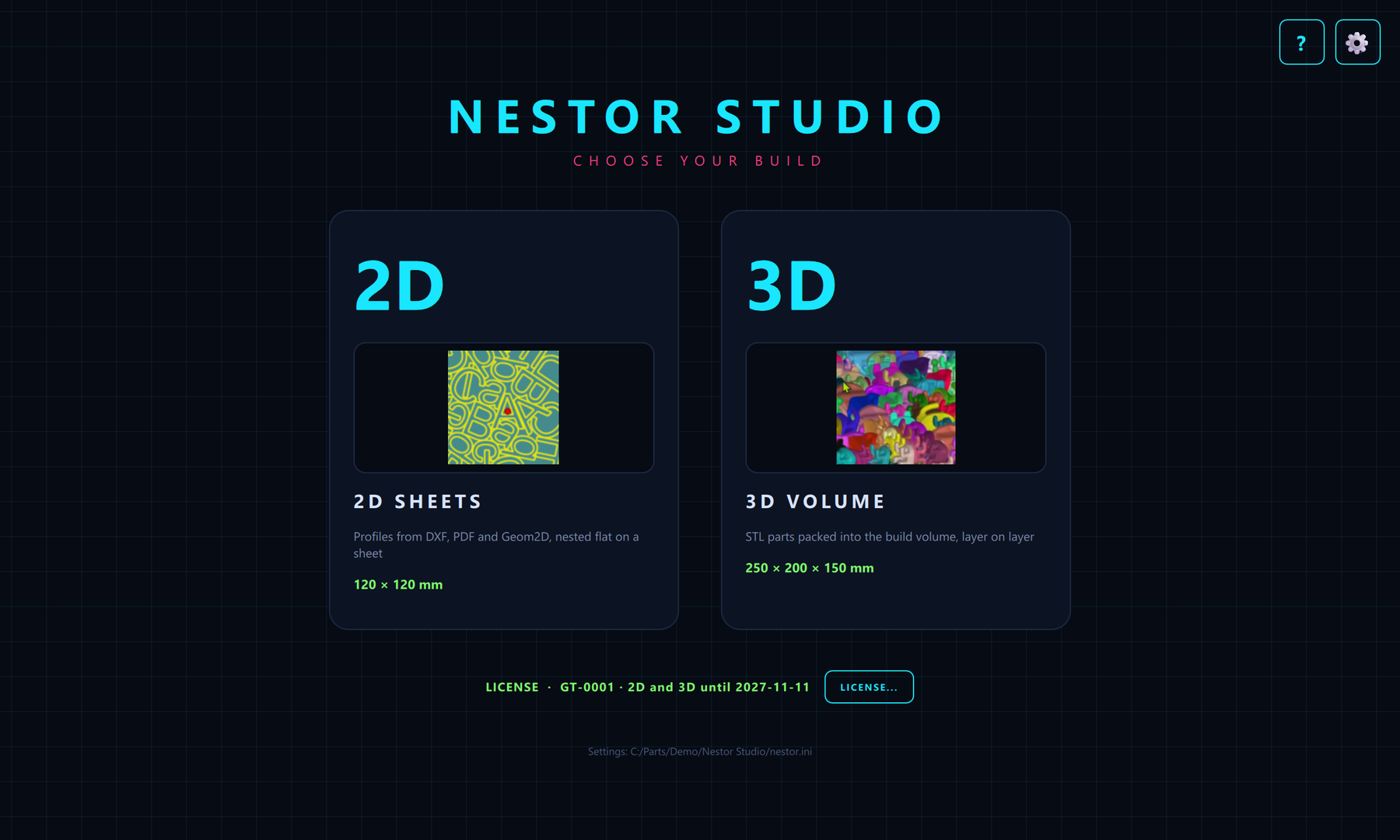
Choose 2D sheets or a 3D volume. Profiles from DXF, PDF, and Geom2D lie flat on a sheet. STL solids pack into the chamber, layer on layer. Fill or batch follows the inventory: set a line to infinity and that part repeats until the room is full, or give each line an amount and those copies nest together.
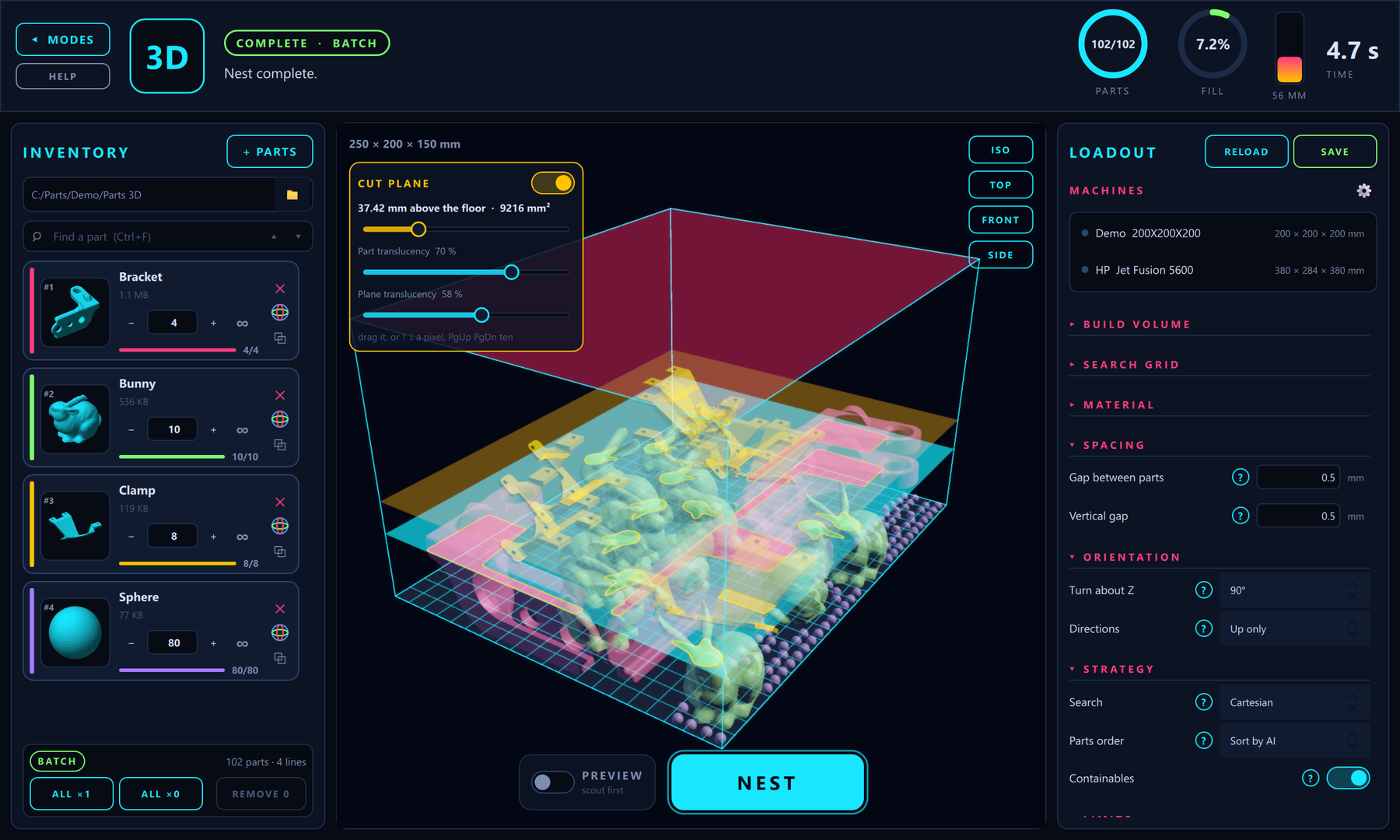
A finished 3D batch. The gauges count parts, fill, and time. The cut plane slices the whole build at any height, and each part's section is filled in its own colour. The loadout beside the build sets the chamber, the gaps, how far parts may turn, and the strategy. Here the parts order is Sort by AI, and Containables is on.
- Material use. Higher part density, so less sheet, plate, and powder is left unused.
- Time and cost. More parts in one sheet or one build means fewer production runs.
- Sort by AI. The order of a batch is searched. Candidate orders are nested in full, then improved round after round, and ranked by parts placed, then volume, then a lower height. On a 722-part test batch, Nestor placed 583 parts, against 567 for the best standard order.
- Containables. The volume is modelled as columns of filled and empty cells, so smaller parts sit in the cavities under overhangs, arches, and brackets. A part goes there only where it fits whole. This adds parts on powder-bed printers (SLS, MJF, binder jetting).
- Balanced fill. With a balancing order, more than one line can be infinity, and they share the room by volume or by area. The nest carries on past a part that no longer fits, so the smaller parts fill the gaps.
- Preview. In 3D, the same placement search reports how many parts will fit, drawn see-through, before a layout is written.
- Machines. Each machine keeps its table or chamber, resolution, and shrinkage. Switch machine in one click.
- Integration. Run Nestor Studio on its own, or embed the engine through an API and SDK.
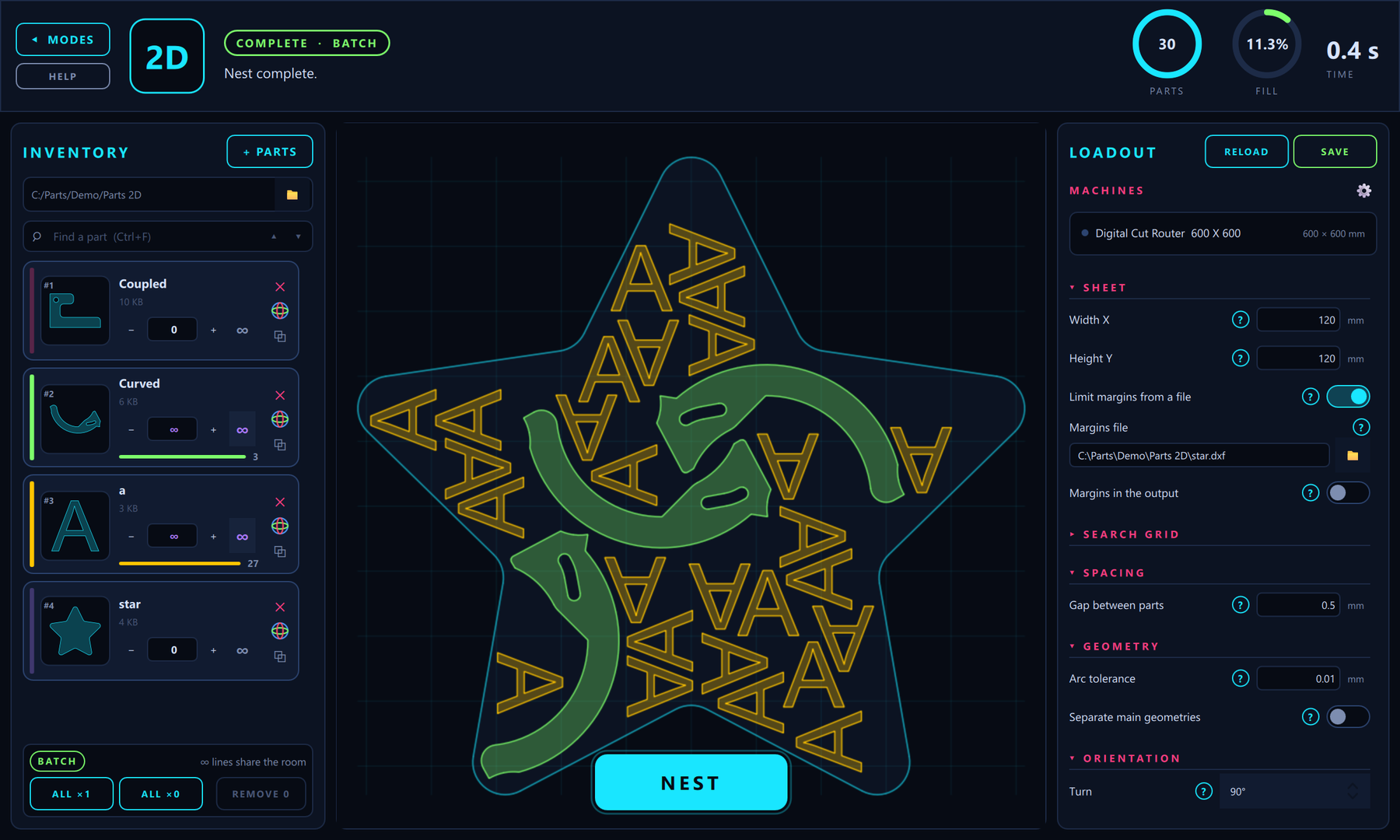
A 2D nest cut to an outline from the inventory, here a star, instead of a rectangle. Two Fill lines share the sheet: the curved parts and the letters. Any closed profile can become that outline, and the boundary can be written into the output beside the parts.
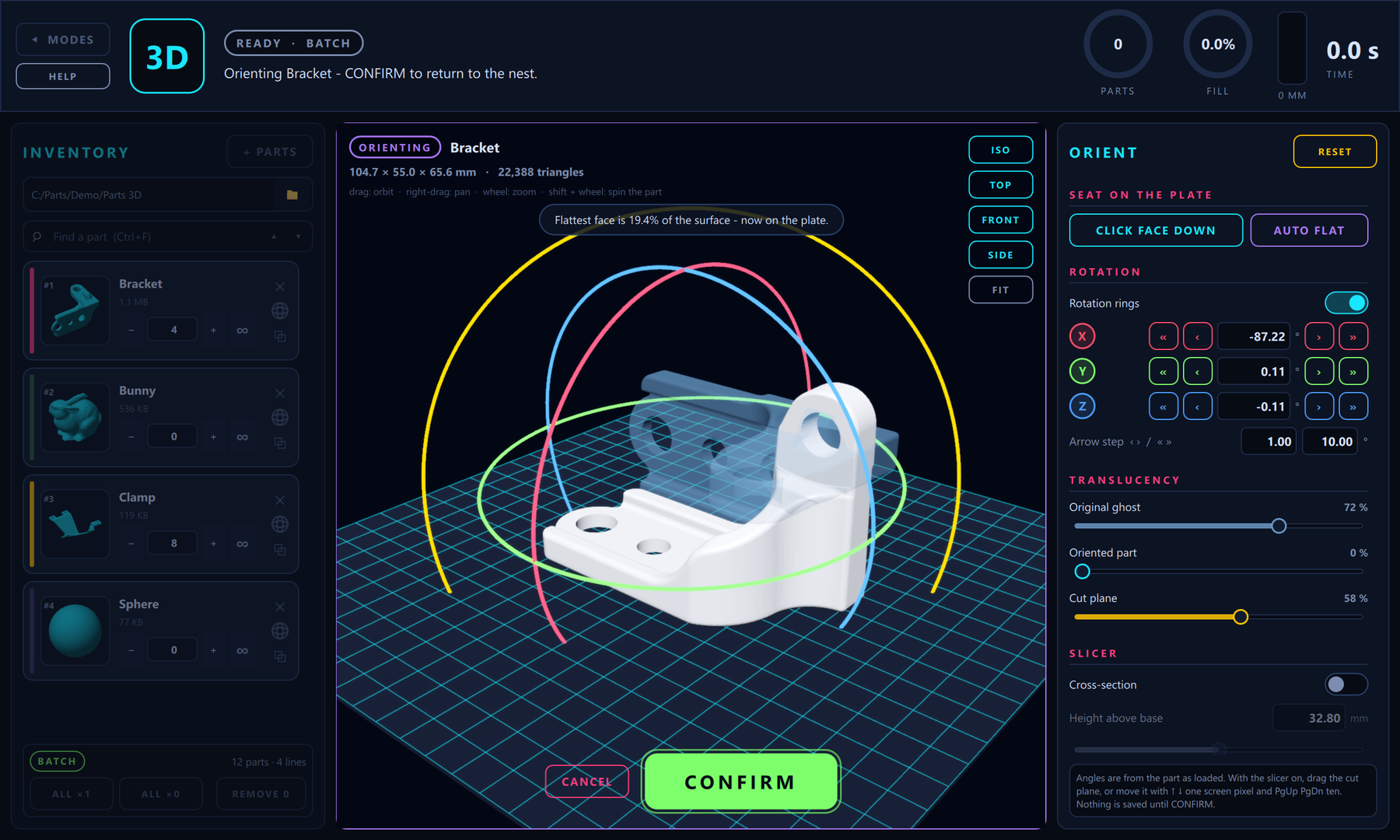
Where a part must sit a certain way, orient it before the nest. The part takes over the build view: click a face down onto the plate, or use Auto flat to seat the largest flat region. Drag the rings to turn it, cut a section, and confirm. The part as loaded stays on screen as a ghost. In 2D the profile rests on the longest edge of its outline.
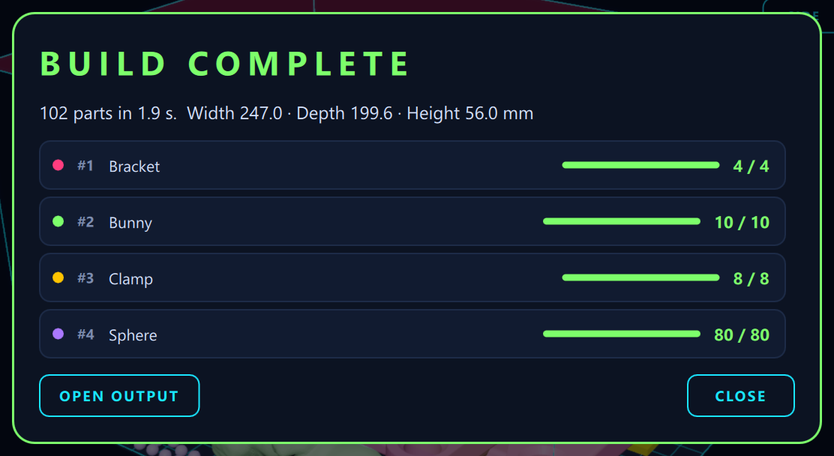
When the nest ends, the debrief lists every line: copies placed against copies asked for, the time, and the size of the layout. A line left over is marked, and the output folder opens from the same window.
The same engine covers interlocking pairs (Couple pairs), fair sharing of mixed batches, and limits on spacing, rotation, and mirroring. Licensing is in software.
Nestor is the product behind the Nesting solution, and it nests build volumes for 3D printing. Contact GraphiTech at shai@graphitech.net.